

How to check your Chase credit card application status

Summary
- If you’re applying for a Chase credit card, there are several easy ways to check the status of your application.
- Most applicants get a decision within 14 business days or less, with many approvals happening almost instantly.
- Here’s how to check your Chase credit card application status whether you apply online or in a physical bank branch.
- We’ll also explain what those automated messages actually mean, and what to do if your application is pending or denied.
Editorial note: Our top priority is to give you the best financial information for your business. Nav may receive compensation from our partners, but that doesn’t affect our editors’ opinions or recommendations. Our partners cannot pay for favorable reviews. All content is accurate to the best of our knowledge when posted.
How to check your Chase credit card application status
The three main ways to check your application status are online, by phone, or in person at a physical bank location. Here’s how to utilize each option.
Check your application status online
If you already have a Chase account, the fastest and easiest way to check your credit card application status is by logging in online or via the Chase app:
- Sign in to your Chase online account.
- Go to your account dashboard.
- Look for message notifications or check your main dashboard for a new card account.
If you apply for a credit card while logged into your Chase account, approvals may appear on your account dashboard within minutes. You may also see status updates in the application portal.
Note: If you only have a consumer account with Chase but are checking the status of a new business credit card application, you must set up a separate business account using your company information.
Once you’re logged in, follow these steps to link your business and personal accounts for single-login access. You can also contact Chase customer service for help, or visit a bank branch and ask for a banker. 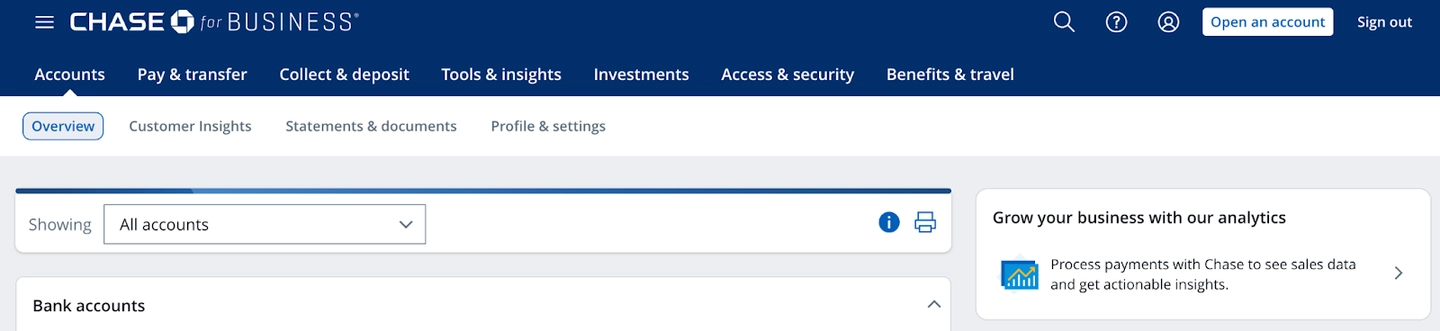
Check your Chase application status by phone
If your application is pending or under review, calling the automated status line is often the best way to follow up with Chase. You may see a notification right after you apply that says your application needs further review, or you may receive a letter in the mail a few days after the fact.
- Personal credit card application status line: 1-888-338-2586
- Business credit card application status line: 1-800-453-9719
The automated system may ask you to provide the following information for verification:
- Social Security number (SSN) or business employer identification number (EIN), depending on the card you apply for
- Phone number
- Address
- ZIP code
- Your application reference number, if you have one
- Articles of incorporation for your business, if you have one
The automated status check phone lines are available 24 hours a day, and the message you hear can provide clues about whether you’re likely to be approved.
Check your Chase application status in person
You can also visit a Chase bank branch and ask a personal banker to check your application. Chase has locations nationwide, so you should be able to utilize this option from anywhere within the United States.
Make sure you have the following items available when you inquire in person:
- Government ID
- SSN or business EIN
- Any confirmation details from your application, such as a reference number or screenshot
I personally prefer working with my local bankers because they can call the internal team at Chase to get real-time feedback on various obstacles. For example, having an address discrepancy can be a common reason for credit card denial or delayed approval. If you’ve moved but have not updated your bank account information, showing verifiable proof of your new address, such as an updated driver's license, may be enough to help Chase reconsider your application.
Chase credit card approval timeline
Most Chase credit card decisions follow a fairly predictable timeline. Typical approval windows can be nearly instant, take between seven to 14 business days, or may even require up to 30 days in cases where an extended review is required.
Applications submitted online usually get decisions faster than mailed applications, since those require additional time for delivery and review.
How long does Chase take to approve a credit card?
In most cases, Chase makes quick decisions on credit card applications. Many applicants receive instant approval within minutes, if not seconds after submitting their application online. If the system can verify your credit profile right away, the decision may appear immediately on screen.
When an application requires additional review, Chase typically provides a decision within 14 business days — often less. You may see a notification directly on the screen after applying, or you may need to wait a few days before a letter comes in the mail. During this time, your application may go through manual review, identity verification, or additional credit checks.
In rare situations, the process can take up to 30 days, especially if the bank needs more information or if the application was submitted by mail.
Why is my application delayed or pending?
There are several reasons your application might take longer than expected. Common causes include:
- High recent credit activity
- Multiple recent credit card applications
- Identity verification requirements
- Credit report inconsistencies
- Large requested credit limit
- Limited credit history
- Income verification
In many cases, delays happen simply because your application requires a closer review. However, there are some rules you should know about Chase credit card applications that can impact your eligibility.
Chase credit card approval rules you should know
Chase has some internal policies that strongly affect approval odds. Understanding these rules can make or break the outcome of your credit card application.
Chase 5/24 rule
The 5/24 rule is an unofficial guideline for Chase credit cards, and one of the most important approval rules you need to keep in mind when applying for Chase cards: While not officially published by Chase, many applicants report it’s likely you’ll be automatically denied for most Chase cards if you’ve opened five or more credit cards within the past 24 months. This includes credit cards from other banks and store credit cards, although certain business cards may not count against your 5/24 record.
This rule is one of the most common reasons why applicants for Chase credit cards get declined. Because most Chase business credit cards do not report to personal credit reports after approval, they typically do not add to your 5/24 count. This potentially creates a situation where you may be able to continue applying for (and being approved for) business credit cards even while you are over 5/24 for consumer credit cards.
The Chase 2/30 rule
A lesser-known guideline is the 2/30 rule — once again an unofficial/unstated disqualifier. According to widely reported data points, Chase won’t approve more than two credit cards within a 30-day application period. This includes personal and business credit cards alike, although there are always exceptions.
But if you’ve recently applied for multiple cards, be prepared for your application to go into review.
Chase Sapphire credit card restrictions
In the past, you could not have more than one Chase Sapphire credit card at a time, and you could only earn a new welcome bonus once every 48 months or more.
As of June 2025, Chase eliminated the 48-month waiting period and the rule limiting customers to a single Sapphire card. Instead, the issuer implemented new bonus eligibility terms across the Sapphire credit card lineup, which includes the personal Chase Sapphire Preferred, the personal Chase Sapphire Reserve, and the relatively new Sapphire Reserve for Business card. Bonus eligibility terms are subject to change.
Eligible cardholders can now technically have multiple Sapphire credit cards at the same time. However, you can only earn a welcome bonus once per Sapphire card, which means the restriction lasts for as long as your account history shows you’ve already received that credit card bonus.
Chase Ink business card rules
Business credit cards from Chase follow slightly different approval criteria. Applicants may be evaluated based on a combination of personal credit scores, business revenue, the length of time they’ve been in business, or existing Chase relationships.
Business cards often require more documentation during the review process, such as proof of incorporation, bank account information, or past statements.
What should I do if my Chase card application is denied?
If your application is denied, don’t panic; approvals can happen after reconsideration. Instead, follow these three steps to gain clarity and potentially plead your case.
Step 1: Review the denial letter
Chase will send a letter explaining the reason for the decision. Common reasons for denial may include:
- Too many recent lines of credit opened
- High credit utilization
- Insufficient credit history
Understanding the reason for your denial will help you respond effectively. For example, if you’re a student who has been denied for lack of credit history, you may consider applying for a student credit card instead. Or if you have poor personal credit, you may consider business credit cards that weigh business financials in addition to personal credit or EIN-only business cards.
Step 2: Check your credit report
Before calling the Chase reconsideration line, review your credit profile for any errors, any high balances on your credit cards or other lines of credit, and check for any recent credit inquiries you may have overlooked. Fixing any issues can improve your chances of approval if you reapply at a later date.
Step 3: Call the Chase reconsideration line
Many applicants successfully get approvals by speaking with a reconsideration agent after being flagged for initial denial or further investigation.
When you call to ask for your application to be reconsidered, be ready to explain:
- Why you want the card
- Your income (existing documents are helpful, such as pay stubs or bank statements)
- Your existing bank accounts and lines of credit, including other credit cards
- Your relationship with Chase
You can try using a simple script to get the conversation started:
“Hi, I recently applied for a Chase credit card and saw that my application wasn’t approved. I wanted to see if there’s any additional information I can provide that might help reconsider the decision.”
Agents may ask additional questions about your finances or credit history, and being polite and clear can help your case.
Tip: As mentioned earlier, going to a bank branch and working directly with a personal banker can help expedite the process of requesting a reconsideration for your application. If the reason for your denial is relatively straightforward, such as producing additional documentation of income or personal information, you may be able to have the banker directly call the reconsideration line for you and submit the necessary data on the spot.
How Chase business credit card applications are different
Business credit card applications often take longer to review than similar applications for personal credit cards. That’s because Chase may need to verify additional information such as your business EIN, revenue, company type, time in operation.
However, there’s one key benefit many applicants don’t realize: According to widely reported data points, most Chase business credit cards don’t add to your 5/24 count after approval, although you must still be under 5/24 to qualify.
Frequently asked questions
Rate this article
This article has not yet been rated

Katherine Fan
Contributor
Katherine Fan is a travel and personal finance journalist with a background in tech. Since 2015, she's covered all things airlines, hotels, loyalty programs, and credit cards for major media outlets like The Points Guy, Nerdwallet, Business Insider, Condé Nast Traveler, AFAR, and Yahoo! Travel. When she's not in mid-air, you'll probably find her in Austin, New York City, or Taipei.

Robin Saks Frankel
Senior Content Editor
Robin has worked as a personal finance writer, editor, and spokesperson for over a decade. Her work has appeared in national publications including Forbes Advisor, USA TODAY, NerdWallet, Bankrate, the Associated Press, and more. She has appeared on or contributed to The New York Times, Fox News, CBS Radio, ABC Radio, NPR, International Business Times and NBC, ABC, and CBS TV affiliates nationwide.
Robin holds an M.S. in Business and Economic Journalism from Boston University and dual B.A. degrees in Economics and International Relations from Boston University. In addition, she is an accredited CEPF® and holds an ACES certificate in Editing from the Poynter Institute.